Sunday, January 25, 2026

How I Built Scribbles Notepad Without Writing a Single Line of Code


How I Built Scribbles Notepad Without Writing a Single Line of Code

Mubi Ali
Principal Software Engineering Manager (Azure Observability) at Microsoft

A Journey with VS Code and GitHub Copilot

January 2026


The Beginning

It started with a simple frustration. Notepad was too basic. VS Code was overkill for quick edits. I wanted something in between—a modern, lightweight text editor with just the right features. But here's the thing: I didn't want to spend months coding it from scratch.

That's when I decided to try an experiment: Could I build a complete, professional Windows application using only VS Code and GitHub Copilot, without typing a single line of code myself?

Spoiler: I did. In just 4 hours. And this is the story of how.


Hour 1: Setting the Foundation

I opened VS Code, created a new folder called "Scribbles," and started a conversation with Copilot.

"Create a .NET 8 Windows Forms application with a tabbed text editor interface."

Within seconds, Copilot generated the project structure—Scribbles.csproj, Program.cs, and the initial MainForm.cs. A working tabbed editor materialized before my eyes. No boilerplate typing. No Stack Overflow searches. Just pure AI-assisted creation.

I ran it. It worked. I smiled.

Core Features

File Operations

"Add file menu with New, Open, Save, Save As, and Close Tab functionality with proper keyboard shortcuts."

Copilot delivered complete file handling—dialogs, keyboard shortcuts (Ctrl+N, Ctrl+O, Ctrl+S), even proper dirty-file indicators with asterisks in tab titles.

Find and Replace

"Implement a find and replace dialog with options for case sensitivity and whole word matching."

A professional find dialog appeared. Ctrl+F for find, Ctrl+H for replace. Highlight matches, navigate between them. Everything just worked.

Undo/Redo

"Add unlimited undo and redo support."

Done. Ctrl+Z, Ctrl+Y. Proper edit history tracking. Simple ask, simple answer.


Hour 1.5: The Visual Polish

Theme System

This is where it got interesting. I asked:

"Create a theme system with Light, Dark, Monokai, Solarized Dark, and Nord themes. Apply themes to menus, tabs, editor, and status bar."

Copilot created an entire Theme.cs class with color definitions for each theme. Then it wired everything up—the menu bar transformed, tabs changed colors, even the status bar matched. Five beautiful themes, zero lines typed.

But I wanted more:

"Add a custom theme dialog where users can pick their own colors."

A color picker dialog appeared. Users could now create their own themes, choosing colors for background, foreground, menus, tabs, and accents. Professional-grade customization.

Syntax Highlighting

This was the feature I was most worried about. Syntax highlighting is complex. But I asked anyway:

"Add syntax highlighting support for C#, JavaScript, TypeScript, Python, HTML, CSS, JSON, XML, YAML, Markdown, SQL, and PowerShell."

Copilot generated a complete SyntaxHighlighter.cs with regex patterns for keywords, strings, comments, and numbers across all languages. It even auto-detected file types based on extensions.

I opened a .cs file. Keywords in blue. Strings in red. Comments in green. It was beautiful.


Hour 2: Power Features

Preview Pane

"Add a live preview pane for Markdown and HTML files that updates as you type."

A split view appeared. Type Markdown on the left, see rendered HTML on the right. Headers, lists, code blocks—all rendered perfectly. Theme-aware colors. Live updates with a 500ms debounce for performance.

Integrated Terminal

"Add an integrated PowerShell terminal at the bottom of the window, toggleable with Ctrl+`."

A full PowerShell terminal embedded in my text editor. Resizable splitter. Theme-matched colors. I could run dotnet build without leaving Scribbles.

Document Formatting

"Add auto-formatting for JSON, XML, and YAML documents."

Ctrl+Shift+F now beautified any JSON, XML, or YAML with proper indentation. Even malformed files got helpful error messages.


Hour 2.5: Developer Tools

I started dreaming bigger. What if Scribbles could be a developer's Swiss army knife?

Unit Converter

"Create a unit converter tool with categories for length, weight, volume, temperature, speed, time, data size, pressure, energy, and angles."

A complete unit converter with 11 categories and dozens of unit options. Fahrenheit to Celsius? Done. Gigabytes to Megabytes? Easy. All in a clean dialog with dual ListBox controls for intuitive unit selection.

Regex Editor

"Add a regex testing tool with pattern input, test string, match highlighting, and a quick reference cheat sheet."

Regex Editor with live match highlighting, replacement preview, and a built-in cheat sheet for regex syntax. Perfect for crafting complex patterns.

CSV Viewer

"Create a CSV viewer with table display, column sorting, and filtering."

Drag in a CSV file, see it as a sortable, filterable table. Export filtered results. Auto-detect delimiters.

Clipboard History

"Add a clipboard viewer that shows the last 20 clipboard items with preview and click-to-paste."

Never lose a clipboard entry again. History preserved, searchable, one-click paste.

File Compare Tool

"Add a file comparison utility to diff two files side by side."

A professional file comparison tool with side-by-side diff view. Highlight additions, deletions, and modifications. Perfect for code reviews.

Sysinternals Integration

"Integrate a Sysinternals tools launcher with embedded utilities."

Direct access to Microsoft Sysinternals tools for deep system analysis, right from the editor.


Hour 3: The Insert Menu Revolution

I realized developers spend a lot of time typing boilerplate. What if the editor could help?

Developer Productivity Menu

"Add an Insert menu with date/time stamps, GUIDs, random numbers, lorem ipsum, and special characters."

A comprehensive Insert menu appeared with:

  • Date & Time: ISO 8601, local date, Unix timestamp, RFC 2822
  • GUID Generator: Fresh UUIDs with one click
  • Random Numbers: Integers and floats with customizable ranges
  • Lorem Ipsum: Sentences, paragraphs, and full documents for mockups
  • Special Characters: Arrows, math symbols, Greek letters, currency signs

Code Samples Library

Then came the big one:

"Add a Code Samples submenu with Hello World and starter templates for every major programming language."

Copilot generated a massive code samples library covering 30+ languages and frameworks:

Systems Languages: C, C++, Rust, Go, Swift Application Languages: C#, Java, Kotlin, F#, Scala Scripting Languages: Python, JavaScript, TypeScript, Ruby, PHP, Perl Functional Languages: Haskell, Clojure, F# Shell Scripts: Bash, PowerShell, Windows Batch Web Frameworks: React Components, Vue Components, CSS Starters Data Formats: XML, YAML, TOML, JSON Database: SQL SELECT, CREATE TABLE

One click—instant working code. Complete with main functions, class definitions, async patterns, and framework boilerplate.

Encoding & Hashing Tools

"Add encoding utilities for Base64, URL encoding, and hash generation."

Instant Base64 encode/decode. URL encoding. MD5, SHA-1, SHA-256 hash generation. Essential tools for any developer.


Hour 3.5: The Details Matter

Line Numbers

"Add a custom line number panel with proper alignment and theme support."

A beautiful line number gutter appeared, perfectly aligned, updating on scroll, matching the theme.

Spell Checking

"Implement spell checking that underlines misspelled words and skips code files."

Red squiggly lines under typos. Smart enough to skip .cs and .js files. Toggle on and off from the menu.

Auto-Save

"Add auto-save every 30 seconds to a Documents/Scribbles folder with session restore on startup."

My work was now protected. Even if I forgot to save, Scribbles had my back. And on restart, all my unsaved work came back.

Session Persistence

"Remember window position, size, open tabs, theme selection, and all view preferences between sessions."

Close Scribbles, reopen it—everything exactly as I left it. My workflow preserved.


Hour 4: Finishing Touches

Zoom Controls

"Add Ctrl+Plus to zoom in, Ctrl+Minus to zoom out, and Ctrl+0 to reset zoom."

Font size now adjustable on the fly. Perfect for presentations or tired eyes.

Print Support

"Add Print and Print Preview with proper formatting."

Ctrl+P opened a print dialog. Print preview showed exactly what would come out. Professional output.

Performance Monitor

"Add a performance monitor showing CPU and memory usage in the status bar."

A small CPU and memory indicator in the corner. Lightweight but informative.

File Associations

"Create a file association helper for common text file types."

Scribbles could now register itself as the default handler for .txt, .md, .json, and more.


Final Hour: Visual Polish & Branding

Splash Screen

"Create a splash screen with the Scribbles logo that appears while loading."

A professional splash screen with the cat mascot logo. Smooth fade-in, loading progress, and credits.

Icon Generation

"Create a complete icon set for all toolbar and menu items."

Copilot generated ToolbarIcons.cs with programmatically drawn icons for every feature—Calendar, Key, Hash, Text, Code, Lock, File, and more. No external assets needed.


The Result

25+ source files. 12,000+ lines of code. Zero typed by hand. 4 hours total.

Scribbles became a fully-featured text editor with:

  • 📁 Tabbed document interface with drag support
  • 🎨 5 built-in themes plus custom theme creator
  • 🌈 Syntax highlighting for 15+ languages
  • 📝 Live preview for Markdown and HTML
  • 🔍 Find and Replace with regex support
  • 💾 Auto-save and session restore
  • 🖥️ Integrated terminal
  • 🔧 Unit converter, Regex editor, CSV viewer
  • 📋 Clipboard history
  • ✍️ Spell checking
  • 🖨️ Print support
  • Performance monitoring
  • 📊 File comparison tool
  • 🛠️ Sysinternals integration
  • 📅 Insert menu with date/time, GUID, lorem ipsum
  • 💻 30+ code sample templates for all major languages
  • 🔐 Encoding/Hashing utilities (Base64, MD5, SHA)
  • Special characters insert menu
  • 🐱 Animated glitch logo in About dialog


What I Learned

1. AI is a Collaborator, Not Just a Tool

Copilot wasn't just autocompleting code—it was understanding intent. I described features in plain English, and it translated my vision into working code.

2. Iteration is Key

Not everything was perfect on the first try. Sometimes I'd say "make the theme colors more vibrant" or "add keyboard shortcut Ctrl+Shift+V for preview." Each refinement got me closer to what I wanted.

3. Architecture Emerges Naturally

I didn't plan a class hierarchy. Copilot organized the code logically—Theme.cs for theming, SyntaxHighlighter.cs for highlighting, TabDocument.cs for document management. Clean separation of concerns.

4. The Future of Development

This experiment changed how I think about coding. I'm no longer writing code—I'm directing code. Describing behavior. Shaping outcomes. The AI handles the syntax; I provide the vision.


Try It Yourself

Scribbles is open source. Clone it, run it, extend it:

git clone https://github.com/yourusername/Scribbles.git
cd Scribbles
dotnet run --project Scribbles 

Or simply download it:

Article content

Or just open VS Code, start Copilot, and build your own impossible project.

Because if I can build a complete text editor without typing a single line of code in just 4 hours, what can you build?


Final Thoughts

When I started this project, I expected to hit walls. Complex features that AI couldn't handle. Bugs that required deep debugging expertise. Integration challenges that needed human intuition.

Instead, I found a surprisingly capable partner. Copilot understood context, remembered our conversation, and built upon previous work. It felt less like programming and more like pair programming with an infinitely patient expert.

Scribbles isn't perfect. No software is. But it's real, it's useful, and it exists because a human with an idea met an AI with the ability to execute it.

The future of software development isn't about writing code. It's about imagining software and having the tools to bring it to life.

Welcome to that future.


Built with ❤️ using VS Code and GitHub Copilot

January 2026

Thursday, February 3, 2022

Bicep is a domain-specific language (DSL) that uses declarative syntax to deploy Azure resources. In a Bicep file, you define the infrastructure you want to deploy to Azure, and then use that file throughout the development lifecycle to repeatedly deploy your infrastructure. Your resources are deployed in a consistent manner.

 
Bicep provides concise syntax, reliable type safety, and support for code reuse. We believe Bicep offers the best authoring experience for your infrastructure-as-code solutions in Azure.
 
Interested in learning more about Bicep.
 
Please see below material on Bicep learning path…
 
Watch intro video: https://lnkd.in/d-RQcbBQ
 
Installing Bicep: https://lnkd.in/dRiT7gaY
 
Complete Bicep learning path:  https://lnkd.in/dYTAYKjc
 
Bicep official documentation page: https://lnkd.in/dTcHcmmf
 
Bicep GitHub official page: https://lnkd.in/dayYxcuq
 
Review Bicep example here : https://lnkd.in/dxX8BaE7
 
Bicep playground: https://lnkd.in/dbPUVwZn

#azure #bicep #iac #msftadvocate #learning #development #infrastructure #language #github

Thursday, November 25, 2021

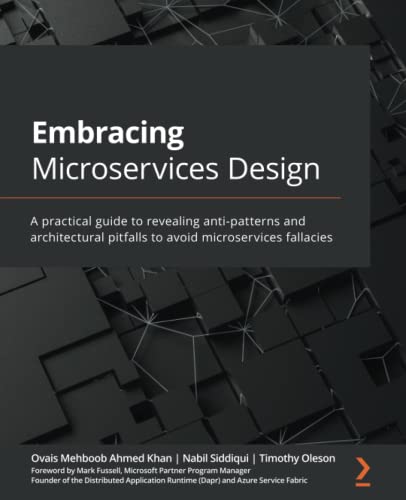
Embracing Microservices Design: A practical guide to revealing anti-patterns and architectural pitfalls to avoid microservices fallacies | Book Review


I was recently invited to review the book Embracing Microservices Design by Ovais Mehboob 

Ahmed Khan, Nabil Siddique, Timothy Oleson.

Fantastic book, as the book preface very well stated Embracing Microservices Design targets architects and developers who want to design and build microservices-based applications following the right principles, practices, and patterns and avoiding the fallacies and anti-patterns that may lead to bad implementation.

This is an excellent book for anyone who is interested to learn about microservices design patterns or is planning to work on microservices on their new project, or even looking to move their existing monolithic app into microservices architecture design.

I have seen organisations rushing into developing microservices architecture, not fully understanding the complexity of microservice architecture and failing due to a lack of fundamental domain knowledge needed to build reliable microservices. It is vital to understand the anti-patterns and pitfalls of microservices before you start architecting and developing microservices.

This book addresses challenges and anti-patterns that you will normally face while adopting microservices. If you are new to microservice architecture or even have previous experience, I will highly recommend reading this book before you think about the technical design and implementation of microservices. This book is equally useful for intermediate to advanced users. Ovais along with Nabil and Timothy have authored this superb book that can steer you in the right direction from day one when it comes to designing and developing microservices.

This book talks about the philosophy of microservices design principles that are essential and explains how you can build teams that will deliver value faster to your customers. It also talks about challenges that you will face when adopting microservice architecture as well as vital components needed when it comes to microservices design.

Often microservice fails due to poor leadership, which this book addresses very well. Understanding domain driven design (DDD) is essential while design microservices architecture, what I like is that there is a whole chapter that addresses this area. This book intuitively addresses the architecture pitfalls and how not to over architect microservices.

This also prepares you for the fundamentals of re-platforming apps and talk about old techniques. The book addresses data design challenges, embracing polyglot persistence, denormalization and explains CQRS. Also helps you understand transaction handling, managing consistency, concurrency, and reporting.

Communication is one of the greatest challenges when it comes to microservices design, this book talks about the fundamentals of microservices communication, and event design pitfalls, API gateways and request timeout handling patterns, all vital components needed for reliable communication. Book also talk about serious concerns relating to security, resiliency, idempotency and monitoring.

Finally, when it comes to deployment, this book guides you on deployment strategy, IaC and modern DevOps principles. Also helps you set up the best test strategy suited for your needs as well as shifting left your testing, unit tests, end to end testing and load testing.

I will highly recommend anyone embracing microservice architecture to read this book to have the essential knowledge needed for a solid foundation of your microservice architecture design.

Embracing Microservices Design: A practical guide to revealing anti-patterns and architectural pitfalls to avoid microservices fallacies Paperback on Amazon

#microservices #embracingmicroservices #microservicesarchitecture  #microservicesantipattern

Wednesday, August 25, 2021

Load balancing - help me choose (Preview) - Diagram

 Microsoft Azure provide various load balancing services such as Azure Front Door, Traffic Manager, Application Gateway, Azure Load Balancer.

For you to decide what is the best service for you depending on your scenario can be quite difficult, if you are not aware how each service work. Therefore we have created little wizard in Azure (i.e. Load balancing - help me choose) that will help you to pick the right service. This wizard ask you bunch of simple questions and determine what is best solution for you. You can use the Azure Load Balancing page in the Azure portal to help you guide to the right load-balancing solution for your business need.

I have created following decision flow diagram that is based on the very same wizard flow in Azure portal. You can visually see all options at the same time. I hope this would be helpful for you, you can even print it and have it handy when needed :)


Wednesday, June 2, 2021

Structured review of Azure architectures: A guide for web application review

 Invest a lot of effort to create a perfect architecture before construction should be avoided because this is unrealistic in software development. It is recommend investing in a little bit of architecture envisioning early to identify architecture options in high level, but details should emerge over time. Development team should ensure that architecture will be validated through functioning software, and will be reviewed frequently throughout the project to support optimal implementation. Moreover, emergent architecture should influence and correct intentional architecture.

Architecture review should be performed through out the project development. If you have web app work load in Azure or if you are thinking to move it to Azure, its recommend to perform structured architecture review on following key areas:

  • Availability
  • Scalability
  • Resiliency
  • DevOps
  • Security
  • Management Tools


Performing an Azure architecture review is no longer an activity limited to experts. This paper, by Mahesh Kshirsagar of the AzureCAT team, identifies review drivers and explains how to evaluate your current architecture against these drivers to detect and address current risks. Project teams of any size can self-start a review with this resource. Click download button below to get free PDF copy.


Ref: Microsoft Docs.

Tuesday, June 1, 2021

Choosing Compute Services on Azure (AKS, Service Fabric, App Service)

If you are planning to move your services to cloud its important to understand what is the best candidate compute service for you. You don't want to over/under  provision your solution. So what is the best service we should pick, this is on of the question that i am asked often. While there is no single right or wrong answer it depends on what kind of workload and SLAs you have that will dictate what is best compute service for you.

Azure Compute Services offer following key workloads:

  • App Service: A managed service for hosting web apps, mobile app back ends, RESTful APIs, or automated business processes.
  • Azure Kubernetes Service (AKS):  A managed Kubernetes service for running containerized applications.
  • Batch : A managed service for running large-scale parallel and high-performance computing (HPC) applications 
  • Container Instances: The fastest and simplest way to run a container in Azure, without having to provision any virtual machines and without having to adopt a higher-level service. 
  • Functions: A managed FaaS service. 
  • Service Fabric: A distributed systems platform that can run in many environments, including Azure or on premises. 
  • Virtual machines: Deploy and manage VMs inside an Azure virtual network.

It is also important to understand following hosting models:
  • Infrastructure-as-a-Service (IaaS) lets you provision individual VMs along with the associated networking and storage components. Then you deploy whatever software and applications you want onto those VMs. This model is the closest to a traditional on-premises environment, except that Microsoft manages the infrastructure. You still manage the individual VMs. 
  • Platform-as-a-Service (PaaS) provides a managed hosting environment, where you can deploy your application without needing to manage VMs or networking resources. Azure App Service is a PaaS service. 
  • Functions-as-a-Service (FaaS) goes even further in removing the need to worry about the hosting environment. In a FaaS model, you simply deploy your code and the service automatically runs it. Azure Functions is a FaaS service


 Following chart show how best to pick candidate compute service for you:


You also need to look at aspects such as scalability, availability, security and how easily you can perform DevOps.

Ref: Microsoft Docs.


Friday, May 28, 2021

What is Bicep

Have you been writing ARM templates and didn't quite fancy the way ARM templates are written in JSON. Well Bicep is here that would help you author ARM templates with much cleaner syntax. Bicep give you abstraction the way ARM templates are now written. Its supported by Microsoft 100% free, very modular, state is stored in Azure no manual handling. 

You can get latest windows installer here or see all install options here: bicep/installing.md at main · Azure/bicep (github.com)

You can also download Bicep Visual Studio Code extension.


Hello world sample Bicep file to spin up storage in Azure..

param location string = 'eastus'

@minLength(3)
@maxLength(24)
param storageAccountName string = 'azmubistorageacc1' // must be globally unique

var storageSku = 'Standard_LRS' // declare variable and assign value

resource stg 'Microsoft.Storage/storageAccounts@2019-06-01' = {
  name: storageAccountName
  location: location
  kind: 'Storage'
  sku: {
    name: storageSku // reference variable
  }
}

output storageId string = stg.id // output resourceId of storage account

Edit it in VS Code using Bicep extensions.


Deploy template using Bicep CLI (make sure to create resource group in Azure in advance e.g. bicep).

az deployment group create -f ./test.bicep -g bicep


Storage account created in Azure using Bicep.


Bicep Language specifications can be found here.

Bicep Azure DevOps Task is available here.

steps:
- task: BicepBuild@0
  inputs:
    process: 'single'
    sourceFile: '.\bicep_files\sample1.bicep'
    stdout: false # Note if stdout is true 'outputDirectory' will not be interpreted
    outputFile: '.\bicep_files\sample1.out.json' # Only when 'stdout' is false or not defined and 'outputDirectory' is empty or not defined

Bicep Build Actions (Github Action) is available to run the Bicep CLI to build ARM template more.

steps:
# Runs the bicep CLI action - individual files
- name: Run Bicep build
  uses: aliencube/bicep-build-actions@v0.3
  with:
    files: sample1.bicep sample2.bicep biceps/sample3.bicep biceps/sample4.bicep

# Checks the result
- name: Check the result
  shell: bash
  run: |
    shopt -s globstar
    ls -altR **/sample*.*


If you have existing ARM templates you can decompile them.

bicep decompile "path/to/MyARMTempateFile.json"

You can also export your Azure resource group to .bicep file.

step 1 - az group export --name "MY-Azure-Resource-Group" > MainARMTemplate.json
step 2 - bicep decompile MainARMTemplate.json

Learn more about Bicep here ..


Sunday, January 3, 2021

Azure Traffic Manager vs App Gateway vs Front Door vs Load Balancer


Some of the key features and difference between Azure Traffic Manager, App Gateway, Front Door and Load Balancer.


Traffic Routing methods.

Traffic Manager:
  • Priority (default and backup endpoints)
  • Weighted (distribute across endpoints)
  • Performance (nearest endpoint)
  • Geographic (geography controlled for GDPR etc)
  • Subnet (endpoints base don IP)
  • Multi-value (multiple ends available)

Front Door:
  • Latency (least latency endpoint)
  • Priority (primary then secondary)
  • Weighted (based on endpoint weight)
  • Session Affinity (same endpoint per session)

Application Gateway:
  • Multiple site hosting
  • URL routing
  • Redirection
  • Rewrite HTTP headers and URL


Decision Tree:


Reference Architecture Examples:

The following table lists various architecture reference articles based on the load-balancing services used as a solution.

Service(s)ArticleDescription
Load BalancerLoad balance virtual machines (VMs) across availability zonesLoad balance VMs across availability zones helps to protect your apps and data from an unlikely failure or loss of an entire datacenter. With zone-redundancy, one or more availability zones can fail and the data path survives as long as one zone in the region remains healthy.
Front DoorSharing location in real time using low-cost serverless Azure servicesUse Azure Front Door to provide higher availability for your applications than deploying to a single region. If a regional outage affects the primary region, you can use Front Door to fail over to the secondary region.
Application GatewayIaaS: Web application with relational databaseLearn how to use resources spread across multiple zones to provide a high availability (HA) architecture for hosting an Infrastructure as a Service (IaaS) web application and SQL Server database.
Traffic ManagerMulti-tier web application built for high availability and disaster recoveryDeploy resilient multi-tier applications built for high availability and disaster recovery. If the primary region becomes unavailable, Traffic Manager fails over to the secondary region.
Azure Front Door + Application GatewayMultitenant SaaS on AzureUse a multi-tenant solution that includes a combination of Front Door and Application Gateway. Front Door helps load balance traffic across regions and Application Gateway routes and load-balances traffic internally in the application to the various services that satisfy client business needs.
Traffic Manager + Load BalancerMulti-region N-tier applicationA multi-region N-tier application that uses Traffic Manager to route incoming requests to a primary region and if that region becomes unavailable, Traffic Manager fails over to the secondary region.
Traffic Manager + Application GatewayMulti-region load balancing with Traffic Manager and Application GatewayLearn how to serve web workloads and deploy resilient multi-tier applications in multiple Azure regions, in order to achieve high availability and a robust disaster recovery infrastructure.

Saturday, September 12, 2020

Visual Studio Codespaces is consolidating into GitHub Codespaces


Hello Developers :) 

If you have been using Visual Studio Codespaces Public Preview or thinking about using it, be aware of the up coming changes:

Existing users! 
Can continue accessing your codespaces via the current portal beyond the start of GitHub general availability.

Whats happening timeline!
  • September 4, 2020 – Current users can begin transitioning to the GitHub private beta.
  • November 20, 2020 – Creation of new plans and codespaces will be disabled, although existing codespaces may continue to be used. New users will only be able to sign up for Codespaces on GitHub.
  • February 17, 2021 – The Visual Studio Codespaces portal will be retired. All plans and codespaces remaining in the service will be deleted.

New users!
If you just heard about Codespaces and want to try We recommend requesting access to the GitHub Codespaces limited public beta.

See Codespaces cost here 

Thursday, September 3, 2020

Spin up virtual machine pre configured with WinRM access over https in Azure using Terraforms

Note: Basic knowledge of Terraforms is required.

If you are creating a VM in Azure and you want WinRM to be preconfigured for access over https and a certificate automatically created and linked with VM DNS see following steps.

Step 1: Download VM Terraforms sample from Github

You can download Terraforms sample from here and save it as e.g. main.tf (i needed one with the SQL):


Make sure to setup up the domain label, where var.dnsName is variable which you can declare in variables.tf:

domain_name_label = "${var.dnsName}winsqlhost"

Step 2: Add provisioner remote-exec:

To configure WinRM you need to add provisioner "remote-exec" to your Terraform, which triggers automatically once VM has spun up in the cloud.


resource "null_resource" "main" {
  triggers = {
    "after" = azurerm_mssql_virtual_machine.main.virtual_machine_id
  }

  provisioner "remote-exec" {
    connection {

      type     = "winrm"
      user     = var.username
      password = var.pass
      https    = true
      insecure = true
      port     = 5986
      use_ntlm = true
      host     = "${var.dnsName}winsqlhost.westeurope.cloudapp.azure.com"
       
    }

    
  }
}

If you need to connect via http you don't need Step 3.

Step 3: Configure Key vault & Certificate with DSN name:

If VM is not on the domain and you need to connect through local machine you will have to setup Certificate for WinRM https access.

Download sample Terraform from here and save as e.g. certificate.tf (Generating a new certificate example) https://www.terraform.io/docs/providers/azurerm/r/key_vault_certificate.html

Provide dns_names and CN equals to our DNS Name
     subject_alternative_names {
        dns_names = ["${var.dnsName}winsqlhost.westeurope.cloudapp.azure.com""domain.hello.world"]
      }

      subject            = "CN=${var.dnsName}winsqlhost.westeurope.cloudapp.azure.com"
      validity_in_months = 12

Link certificate with your VM in main.tf as follows:
  os_profile_secrets {
    source_vault_id = azurerm_key_vault.main.id
    vault_certificates {
      certificate_url   = azurerm_key_vault_certificate.main.secret_id
      certificate_store = "My"
    }

Now when you run Terraform your VM will be preconfigured with WinRM and ready to connect, you can connect WinRM over https port:5986 using DNS name.

Happy IaC! 😊